


Dinghy Towing
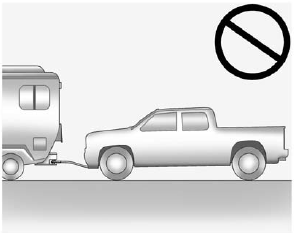
Two-Wheel-Drive Vehicles
Notice: If the vehicle is towed with all four wheels on the ground, the drivetrain components could be damaged.
The repairs would not be covered by the vehicle warranty. Do not tow the vehicle with all four wheels on the ground.
Two-wheel-drive vehicles should not be towed with all four wheels on the ground. Two-wheel-drive transmissions have no provisions for internal lubrication while being towed.
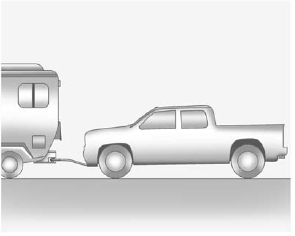
Four-Wheel-Drive Vehicles
Use the following procedure to dinghy tow a four-wheel-drive vehicle:
1. Position the vehicle being towed behind the tow vehicle and shift the transmission to P (Park).
2. Turn the engine off and firmly set the parking brake.
3. Securely attach the vehicle being towed to the tow vehicle.
WARNING
Shifting a four-wheel-drive vehicle's transfer case into N (Neutral) can cause the vehicle to roll even if the transmission is in P (Park). The driver or others could be injured. Make sure the parking brake is firmly set before the transfer case is shifted to N (Neutral).
4. Shift the transfer case to N (Neutral). See “Shifting into Neutral” under Four-Wheel Drive on page 9‑43 for the proper procedure to select the Neutral position for the vehicle.
5. Release the parking brake only after the vehicle being towed is firmly attached to the towing vehicle.
6. Turn the ignition to LOCK/OFF and remove the key—the steering wheel will still turn.
After towing, see “Shifting Out of Neutral” under Four-Wheel Drive on page 9‑43 for the proper procedure to take the vehicle out of the Neutral position.
See also:
How the System Works
URPA comes on automatically when the shift lever is moved into R (Reverse). A single tone sounds to indicate the system is working.
URPA operates only at speeds less than 8 km/h (5 mph).
An obstacle ...
Vehicle Storage
WARNING
Batteries have acid that can burn you and gas that can explode. You can be badly
hurt if you are not careful. See Jump Starting on page 10‑76 for tips on working
around a battery wi ...
Spacious, refined interior
Interior space is roomier - including increased cargo capacity - and has a
spacious, luxurious environment, thanks to a premium two-tone color scheme and a
lower-positioned instrument panel. New t ...