


Center Console Storage
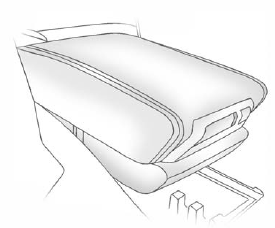
Pull up on the lever, located on the front of the center console armrest, to slide it forward and backward.
To open the armrest storage area, press the button located on the front of the armrest.
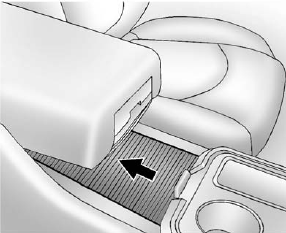
There is additional storage under the armrest. Move the armrest all the way to the rear position, then slide the storage cover back to access.
See also:
Body Component Lubrication
Lubricate all key lock cylinders, hood hinges, liftgate hinges, and steel fuel door hinge unless the components are plastic. Applying silicone grease on weatherstrips with a clean cloth will make them ...
Using the “Delete” Command
1. Press and hold for two seconds.
2. Say “Delete.” 3. Say the name tag you want to delete. ...
Footnotes — Maintenance Schedule Additional Required Services — Severe
a) Or every two years, whichever comes first.
b) Check all fuel and vapor lines and hoses for proper hook-up, routing, and condition. Check that the purge valve, if the vehicle has one, works properl ...