


Parking Brake
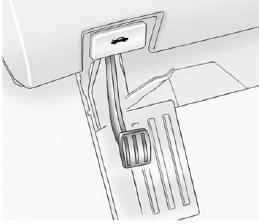
To set the parking brake, hold the regular brake pedal down, then push the parking brake pedal down.
If the ignition is on, the brake system warning light will come on.
See Brake System Warning Light on page 5‑21.
Notice: Driving with the parking brake on can overheat the brake system and cause premature wear or damage to brake system parts. Make sure that the parking brake is fully released and the brake warning light is off before driving.
To release the parking brake, hold the regular brake pedal down, then push down momentarily on the parking brake pedal until you feel the pedal release. Slowly pull your foot up off the park brake pedal.
If the parking brake is not released when you begin to drive, the brake system warning light will be on and a chime will sound warning you that the parking brake is still on.
If you are towing a trailer and are parking on a hill, see Driving Characteristics and Towing Tips on page 9‑45.
See also:
What to Use
WARNING
Adding only plain water or some other liquid to the cooling system can be dangerous. Plain water and other liquids, can boil before the proper coolant mixture will.
The coolant warning syste ...
Customer Assistance for Text Telephone (TTY) Users (U.S. and Canada)
To assist customers who are deaf, hard of hearing, or speech impaired and who use Text Telephones (TTYs), GMC has TTY equipment available at its Customer Assistance Center. Any TTY user can communicat ...
Automatic Door Locks
The vehicle may have an automatic lock/unlock feature. This feature can be programmed using the Driver Information Center (DIC). See Vehicle Personalization (With DIC Buttons) on page 5‑52 for m ...