


Radio(s)
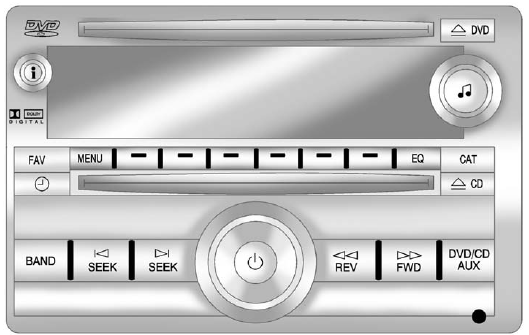
Radio with CD, DVD, and USB Port
 : Press to turn the system on and off. Turn to increase or decrease the volume.
BAND: Press to choose between FM, AM, or XM™, if equipped.
 : Select radio stations.
 or
or
 : Seek or scan stations.
 : Change the display between the radio station frequency and the time, if equipped. While the ignition is off, press to display the time.
For more information about these and other radio features, see Operation on page 7‑2.
For vehicles with a Rear Seat Entertainment (RSE) System and Rear Seat Audio (RSA) System , see Rear Seat Entertainment (RSE) System on page 7‑38 and Rear Seat Audio (RSA) System on page 7‑47 for more information.
See also:
Compass Variance (Zone) Procedure
1. Do not set the compass zone when the vehicle is moving.
Only set it when the vehicle is in P (Park).
Press the vehicle information button until PRESS TO CHANGE COMPASS ZONE displays.
2. Find ...
Curve Tips
• Take curves at a reasonable speed.
• Reduce speed before entering a curve.
• Maintain a reasonable steady speed through the curve.
• Wait until the vehicle is out of the curve before acce ...
When to Check and Change Lubricant
It is not necessary to regularly check front axle fluid unless a leak is suspected, or an unusual noise is heard. A fluid loss could indicate a problem. Have it inspected and repaired. ...