


Infotainment System Overview
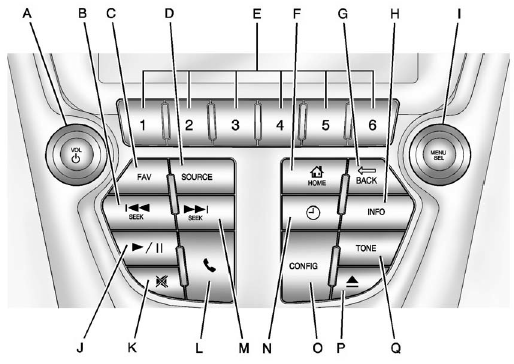
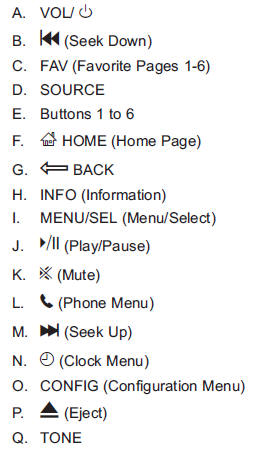
The infotainment system is controlled by using the buttons on the faceplate and the touch screen. See “Infotainment Control Buttons” in this section for more information.
See also:
Root Directory
The root directory of the disc is treated as a folder. If the root directory has compressed audio files, the directory displays on the radio as the CD label.
If a disc contains both uncompressed CD a ...
Turn and Lane-Change Signals
An arrow on the instrument panel cluster will flash in the direction of the turn
or lane change.
Move the lever all the way up or down to signal a turn.
Raise or lower the lever until the arrow ...
Manual Transfer Case
The transfer case shift lever is on the floor to the right of the driver.
Use this lever to shift into and out of Four-Wheel Drive.
A Four-Wheel Drive indicator light comes on when you shift int ...