


OnStar Overview
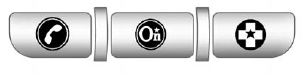
If equipped, this vehicle has a comprehensive, in-vehicle system that can connect to a live Advisor for Emergency, Security, Navigation, Connection, and Diagnostic Services.
The OnStar system status light is next to the OnStar buttons. If the status light is:
• Solid Green: System is ready.
• Flashing Green: On a call.
• Red: Indicates a problem.
Push  or call 1-888-4-ONSTAR (1-888-466-7827) to speak to an Advisor.
Push  to:
to:
• Make a call, end a call, or answer an incoming call.
• Give OnStar Hands-Free Calling voice commands.
• Give OnStar Turn-by-Turn Navigation voice commands.
Requires the available Directions and Connections service plan.
Push to connect to a live Advisor to:
• Verify account information or update contact information.
• Get driving directions. Requires the available Directions and Connections service plan.
• Receive On-Demand Diagnostics for a check on the vehicle’s key operating systems.
• Receive Roadside Assistance.
Push  to get a priority
connection to an Emergency Advisor available 24/7 to:
to get a priority
connection to an Emergency Advisor available 24/7 to:
• Get help for an emergency.
• Be a Good Samaritan or respond to an AMBER Alert.
• Get crisis assistance and evacuation routes.
See also:
Audio System
When using the Bluetooth system, sound comes through the vehicle's front audio
system speakers and overrides the audio system. Use the VOL/
knob during a call to change the volume level. The a ...
Trailer-Tow Mirrors
If the vehicle has towing mirrors, they can be adjusted for a clearer view of the objects behind you.
Manually pull out the mirror head to extend it for better visibility when towing a trailer.
Th ...
Loading Points
A. Primary Load Points
B. Secondary Load Areas
C. Cargo Management Option Holes
Structural members (A) and (B) are included in the pick-up box design.
Additional accessories should use these loa ...