


Infotainment System Overview
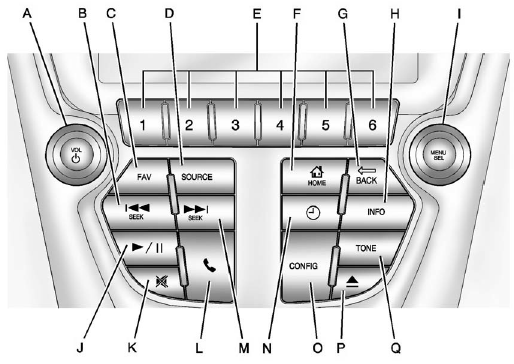
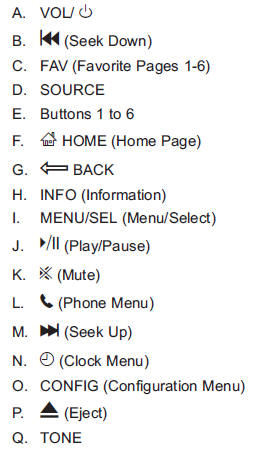
The infotainment system is controlled by using the buttons on the faceplate and the touch screen. See “Infotainment Control Buttons” in this section for more information.
See also:
Radio Reception
Frequency interference and static can occur during normal radio reception if items such as cell phone chargers, vehicle convenience accessories, and external electronic devices are plugged into the ac ...
Inserting a Disc
Insert a disc partway into the top slot, label side up. The player pulls it in and the disc should begin playing. “Loading Disc” shows on the radio display. At the same time, the radio displays a ...
Front Fog Lamp Light
For vehicles with fog lamps, this light comes on when the fog lamps are on.
The light goes out when the fog lamps are turned off. See Fog Lamps on page 6‑6 for more information. ...