


Windows
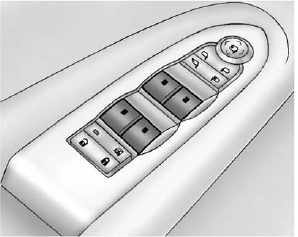
Press the switch to lower the window. Pull the switch up to raise it.
For more information, see Power Windows on page 2‑21.
See also:
Safety Belt Pretensioners
This vehicle has safety belt pretensioners for front outboard occupants. Although the safety belt pretensioners cannot be seen, they are part of the safety belt assembly.
They can help tighten the sa ...
Exterior
GM says the Yukon Hybrid's exterior changes are intended to make the SUV more
aerodynamic compared with the gas-powered Yukon.
A modified bumper drops the regular Yukon's fog lights for some chunk ...
Sensors
The solar sensor, located in the defrost grille in the middle of the instrument panel, monitors the solar heat. Do not cover the solar sensor or the system will not work properly.
The interior te ...