


Infotainment System Overview
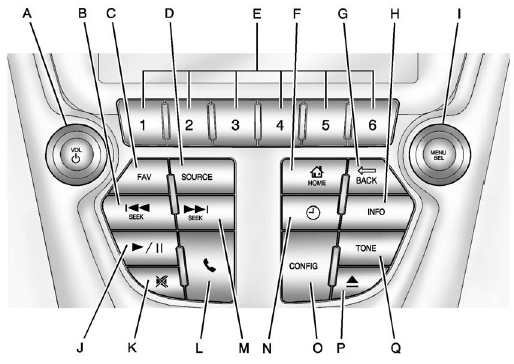
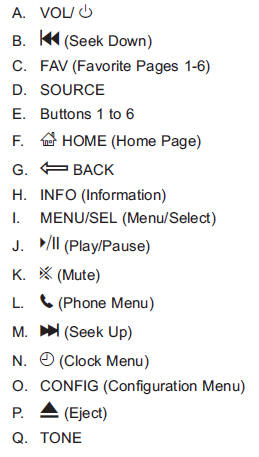
The infotainment system is controlled by using the buttons on the faceplate and the touch screen. See “Infotainment Control Buttons” in this section for more information.
See also:
Head Restraint Adjustment
Do not drive until the head restraints for all occupants are installed and adjusted properly.
To achieve a comfortable seating position, change the seatback recline angle as little as necessary whi ...
DIC Operation and Displays
Use the DIC buttons located in the center of the instrument panel to access different
displays. The DIC displays trip, fuel, vehicle system information, and warning messages.
It also shows the shi ...
Setting the Tone (Bass/Midrange/Treble)
BASS/MID/TREB (Bass, Midrange, or Treble):
To adjust bass, midrange, or treble:
1. Press until the tone control tabs display.
2. Continue pressing to highlight the tab, or press the softkey under ...