


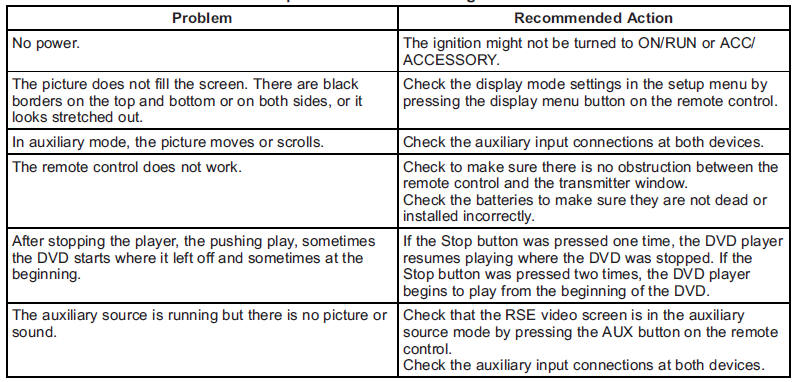
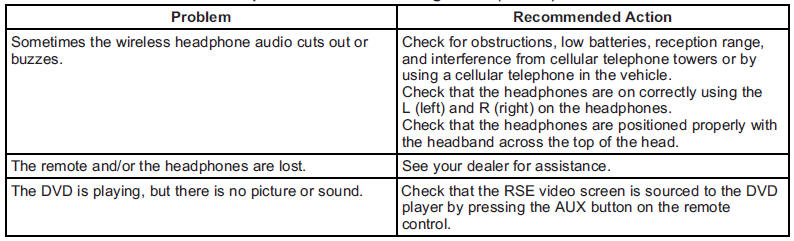
Tips and Troubleshooting Chart
See also:
Under the Hood
Mechanical features include:
185-horsepower, 2.9-liter inline-four-cylinder with aluminum block and
cylinder head, dual overhead camshafts and four valves per cylinder that makes
190 pounds-feet ...
Using Softkeys to Play a DVD-A (Audio)
Once a DVD-A is inserted, the radio display menu shows several tab options for playback. Press the softkey located under any tab option during DVD-A playback.
(Play/Pause): Press either the play or ...
Finding a Category (CAT) Station
CAT (Category): The CAT button is used to find XM stations when the radio is in the XM mode.
To find XM channels within a desired category:
1. Press BAND until the XM frequency displays.
2. Press C ...