


Rear Safety Belt Comfort Guides
This vehicle may have rear shoulder belt comfort guides. If not, they are available through your dealer. The guides may provide added safety belt comfort for older children who have outgrown booster seats and for some adults. When installed and properly adjusted, the comfort guide positions the belt away from the neck and head.
There is one guide for each outside passenger position in the rear seat. Here is how to install a comfort guide to the safety belt:
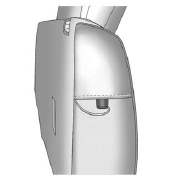
1. Remove the guide from its storage pocket on the side of the seatback.
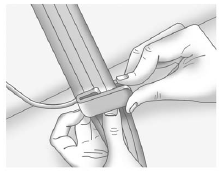
2. Place the guide over the belt, and insert the two edges of the belt into the slots of the guide.
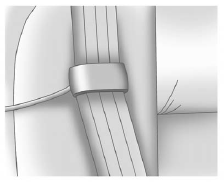
3. The belt should not be twisted and it should lie flat. The elastic cord must be under the belt and the guide on top.
WARNING
A safety belt that is not properly worn may not provide the protection needed in a crash. The person wearing the belt could be seriously injured. The shoulder belt should go over the shoulder and across the chest. These parts of the body are best able to take belt restraining forces.
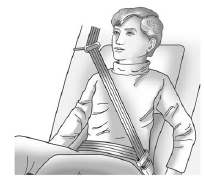
4. Buckle, position, and release the safety belt as described previously in this section. Make sure the shoulder portion of the belt is on the shoulder and not falling off of it. The belt should be close to, but not contacting, the neck.
To remove and store the comfort guide, squeeze the belt edges together so that the safety belt can be removed from the guide. Slide the guide back into its storage pocket located on the side of the seatback.
See also:
English and Metric Unit Conversion
To change the display units between English and metric units, see Driver Information
Center (DIC) on page 5‑23 for more information. ...
Towing with a Stability Control System
When towing, the sound of the stability control system might be heard. The system
is reacting to the vehicle movement caused by the trailer, which mainly occurs during
cornering. This is normal wh ...
Electric Power Steering (2.4L L4 Engine)
If the engine stalls while driving, the power steering assist system will continue
to operate until you are able to stop the vehicle.
If power steering assist is lost due to a system malfunction, t ...