


Lumbar Adjustment
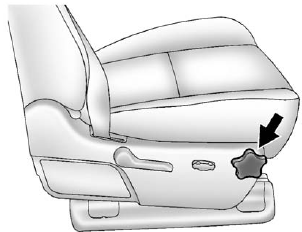
Manual Lumbar
If equipped, increase or decrease manual lumbar support by turning the knob forward or rearward.
See Lumbar Adjustment on page 3‑4 for more information.
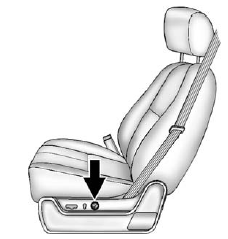
Power Lumbar
To adjust the power lumbar support, if equipped:
• On vehicles with two-way lumbar, press and hold the top or bottom of the control to increase or decrease lumbar support.
• On vehicles with four-way lumbar, press and hold the front or rear of the control to increase or decrease lumbar support. To raise or lower the height of the support, press and hold the top or bottom of the control.
See Lumbar Adjustment on page 3‑4 for more information.
See also:
Brake Fluid
The brake master cylinder reservoir is filled with DOT 3 brake fluid as indicated
on the reservoir cap. See Engine Compartment Overview on page 10‑6 for the location
of the reservoir.
The ...
Control of a Vehicle
Braking, steering, and accelerating are important factors in helping to control
a vehicle while driving. ...
StabiliTrak® OFF Light
This light comes on when the StabiliTrak system is turned off. If the Traction
Control System (TCS) is off, wheel spin is not limited. If the StabiliTrak system
is off, the system does not assis ...