


Center Console Storage
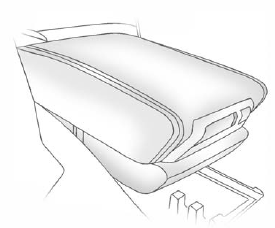
Pull up on the lever, located on the front of the center console armrest, to slide it forward and backward.
To open the armrest storage area, press the button located on the front of the armrest.
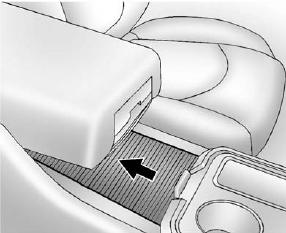
There is additional storage under the armrest. Move the armrest all the way to the rear position, then slide the storage cover back to access.
See also:
DIC Buttons
The buttons are the set/reset, customization, vehicle information, and trip/fuel buttons. The button functions are detailed in the following pages.
(Set/Reset): Press this button to set or reset c ...
Speedometer
The speedometer shows how fast the vehicle is moving in either kilometers per hour (km/h) or miles per hour (mph). The speedometer cannot be reset. ...
Safety Belt Reminders
Driver Safety Belt Reminder Light
There is a driver safety belt reminder light on the instrument panel cluster.
When the vehicle is started, this light flashes and a chime may come on to remind th ...