


Capacities and Specifications
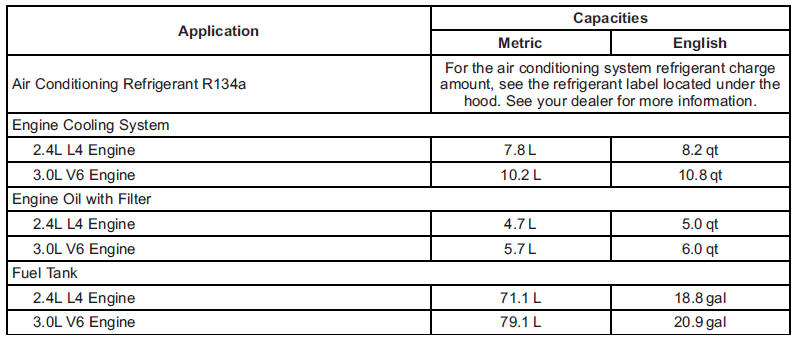
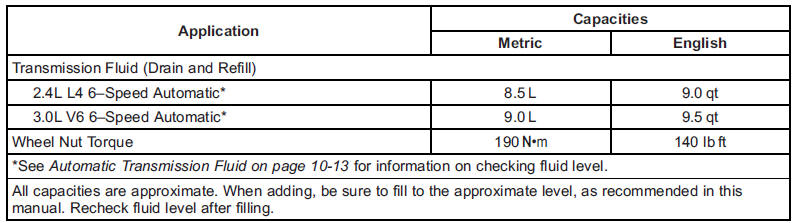
Engine Specifications

See also:
General Information
This maintenance section applies to vehicles with a gasoline engine. For diesel engine vehicles, see the maintenance schedule section in the Duramax Diesel Supplement.
Your vehicle is an important in ...
Torque Lock
Torque lock is when the weight of the vehicle puts too much force on the parking pawl in the transmission. This happens when parking on a hill and shifting the transmission into P (Park) is not done p ...
OnStar Overview
If equipped, this vehicle has a comprehensive, in-vehicle system that can connect
to a live Advisor for Emergency, Security, Navigation, Connection, and Diagnostic
Services.
The OnStar system s ...