


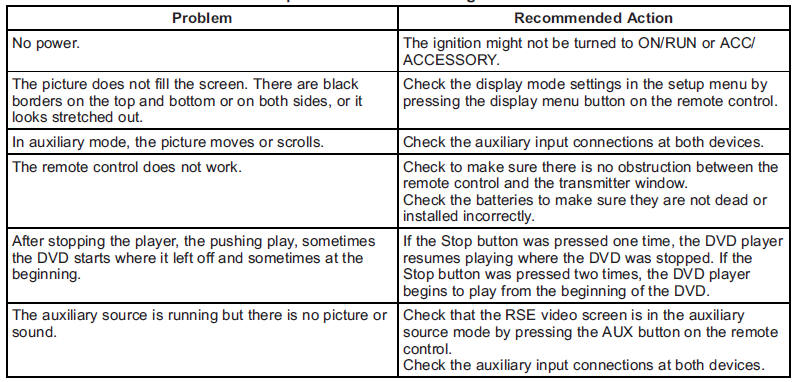
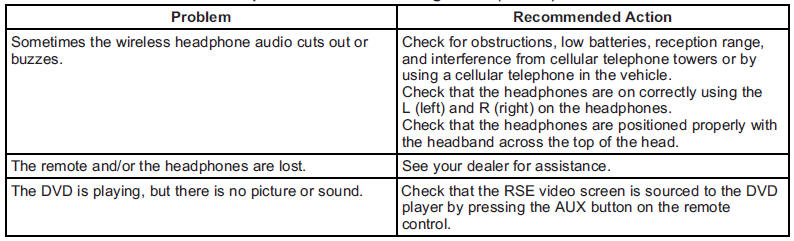
Tips and Troubleshooting Chart
See also:
Inserting a CD(s) (Six-Disc CD Player)
LOAD : Press to load CDs into the CD player. This CD player holds up to six CDs.
To insert one CD:
1. Press and release the LOAD button.
2. Wait for the message to insert the disc.
3. Load a CD. I ...
Passenger Safety Belt Reminder Light
When the vehicle is started, this light flashes and a chime may come on to remind
front passengers to fasten their safety belt. Then the light stays on solid until
the belt is buckled.
For more ...
Safety
Standard safety features include:
Side curtain airbags with rollover sensor
Four-wheel-disc antilock brakes
Electronic stability system with roll-mitigation technology
Rear parking sensors
Backu ...