


Steering Wheel Controls
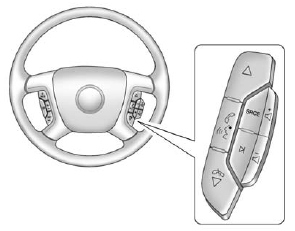
If equipped, some audio controls can be adjusted at the steering wheel.
 (Next) : Press to go to the next favorite radio station, track on a CD, or folder on an iPod® or USB device.
 (Previous/End): Press to go to the previous favorite radio station, track on a CD, or folder on an iPod® or USB device. Press to reject an incoming call, or end a current call.
See also:
Object Detection System Messages
PARK ASST (Assist) BLOCKED SEE OWNERS MANUAL
This message displays if there is something interfering with the park assist system. See Ultrasonic Parking Assist on page 9‑34 for more information ...
Off-Road Recovery
The vehicle's right wheels can drop off the edge of a road onto the shoulder
while driving. Follow these tips:
1. Ease off the accelerator and then, if there is nothing in the way, steer the ...
Potential Issues
Some OnStar services are disabled after five days. OnStar cannot perform Remote Door Unlock or Stolen Vehicle Assistance after the vehicle has been off continuously for five days. After five days, OnS ...